




AI business process automation has moved well past the pilot stage. According to McKinsey, 92% of companies surveyed planned to increase AI investment by 2028, and a growing share of that spend is going into the operational workflows that consume the most time. For business owners, the conversation has shifted from whether to automate to which processes to tackle first.
This article covers 10 AI business process automation examples, what each one looks like in practice, and where B2B businesses are seeing results.
Key Takeaways
- AI business process automation delivers the highest returns on workflows that are repetitive, cross-functional, or involve significant coordination between people and systems
- The difference between basic automation and AI automation is adaptability: AI responds to what actually happens rather than following a fixed script that breaks when conditions change
- The highest-impact use cases for most B2B businesses sit in sales, marketing, operations, and knowledge management
- A custom AI system built around your specific workflows will consistently outperform a generic platform configured to approximate the same outcome
What AI Business Process Automation Actually Means
Most business owners have seen basic automation at work. A form submission triggers an email. A spreadsheet updates when a new row is added. A support ticket gets assigned based on a keyword. These are useful but fragile. Change one input, and the whole sequence breaks.
AI business process automation is different because it reads context and adapts to what is happening rather than following a preset script. A contact who replies to an email gets a different next step than one who ignores it. A support ticket with an urgent tone gets routed differently from a routine request.
The system responds to what is actually there, not what someone assumed would happen when the workflow was built.
The practical difference shows up in three ways:
- Adaptability: AI adjusts when inputs change, handling exceptions that fixed rules cannot anticipate
- Decision support: AI handles the preparation, validation, and routing work so the people who need to make a decision get to it faster with better information in front of them
- Compounding improvement: Unlike rule-based automation that stays static, AI systems get more accurate over time as they process more data
For business owners running lean teams, this is not an abstract concept. It is a practical way to reclaim the hours your team spends on work that was never meant to require a person.
10 AI Business Process Automation Examples in Action
The examples below span sales, marketing, operations, finance, and HR. Some will map directly to where your business is losing the most time right now. Others will open up use cases you may not have considered yet.
1. Sales Follow-Up and Pipeline Revival
Every B2B business has a pile of contacts that went quiet. For example, leads that showed interest months ago, and past customers who churned. Most of that pipeline remains untouched because reaching out to hundreds of dormant contacts manually is not a practical use of anyone's time.
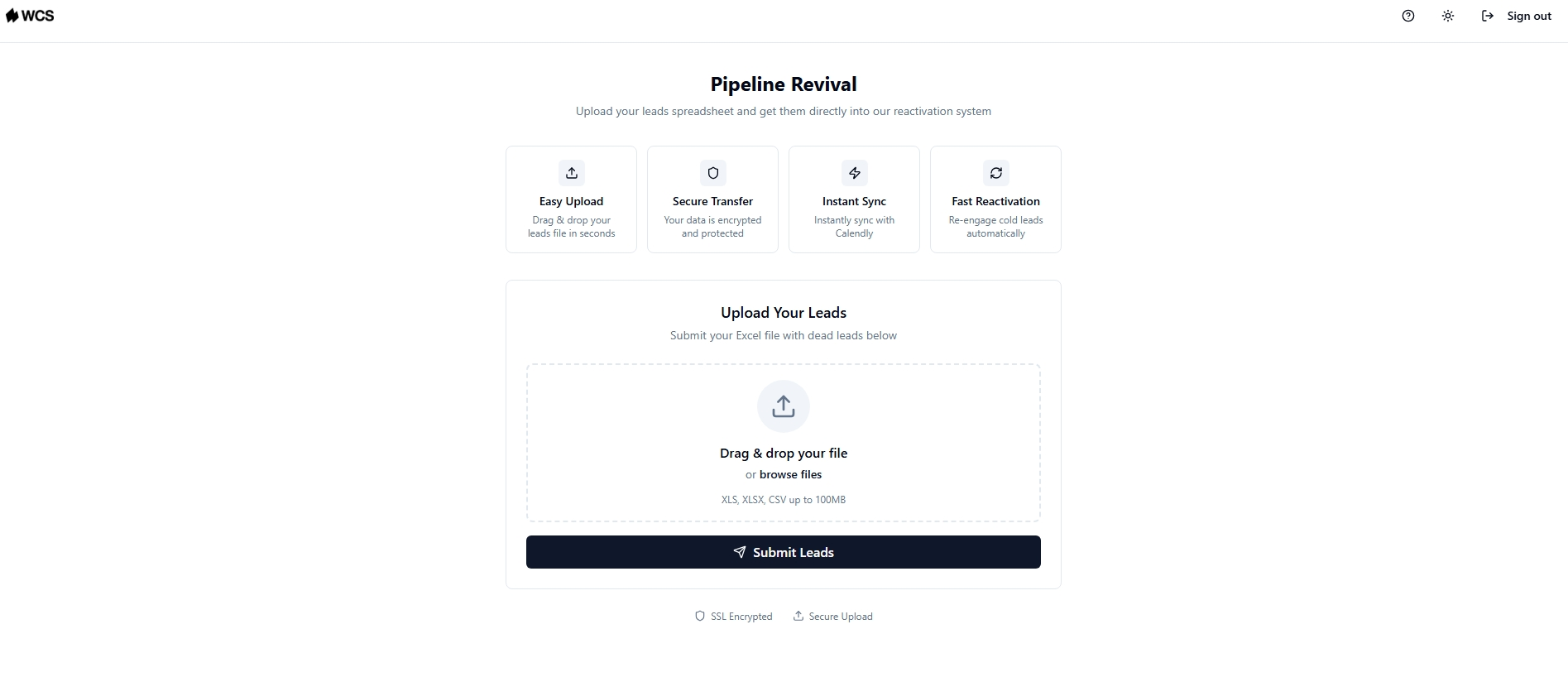
AI pipeline revival automation ingests that contact data and runs targeted email and SMS sequences that adapt based on how each contact responds. Open rates and response rates determine the next step. A contact who opens twice gets a different follow-up than one who has not engaged at all. Engaged contacts get routed to a booking link or your website without anyone on your team stepping in.
We Capture Sales's Pipeline Revival product handles this for B2B teams, pulling in existing CRM or CSV data and running sequences that adjust based on open and response activity, then routing engaged prospects to a Calendly booking link or direct website without manual handoff.
2. Social Media Content Creation and Scheduling
Keeping a consistent social media presence is one of those tasks that sounds manageable until your team is also trying to run a business. Posts get skipped, brand voice becomes inconsistent, and the content calendar turns into a to-do item that never gets done.
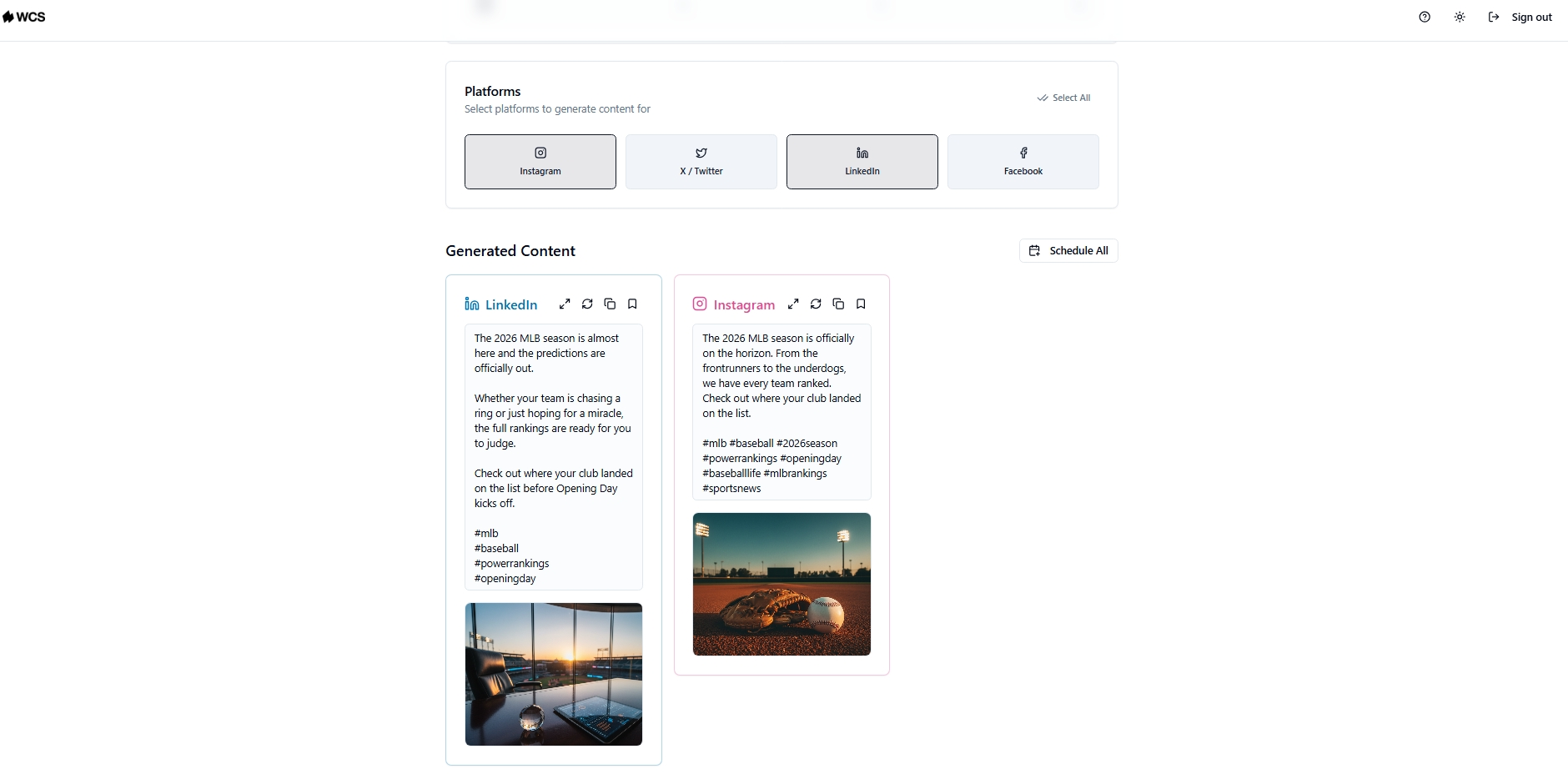
AI social content automation generates branded posts from a URL or a text input, produces platform-specific variations for each channel, and organizes everything in a content calendar your team can work from. Rather than writing from scratch each week, your team reviews and copies content directly into each platform.
We Capture Sales's Social AI product does this across Instagram, X, Facebook, and LinkedIn, generating posts with AI-produced images and relevant hashtags from a URL or custom text input. Content is prepared and organized in a calendar, and your team copies and posts it manually to each platform.
3. Market and Competitor Intelligence Monitoring
Most B2B teams do not have a dedicated analyst tracking what competitors are doing, which accounts are showing buying signals, or which market shifts create outreach opportunities. That intelligence exists, but collecting it manually across news feeds, job boards, and company pages is impractical at any real volume.
AI market intelligence automation monitors those signals continuously. When a target account posts jobs that signal growth, when a competitor changes pricing, or when a relevant industry development creates a timely opening, the system surfaces it without anyone spending hours on manual research.
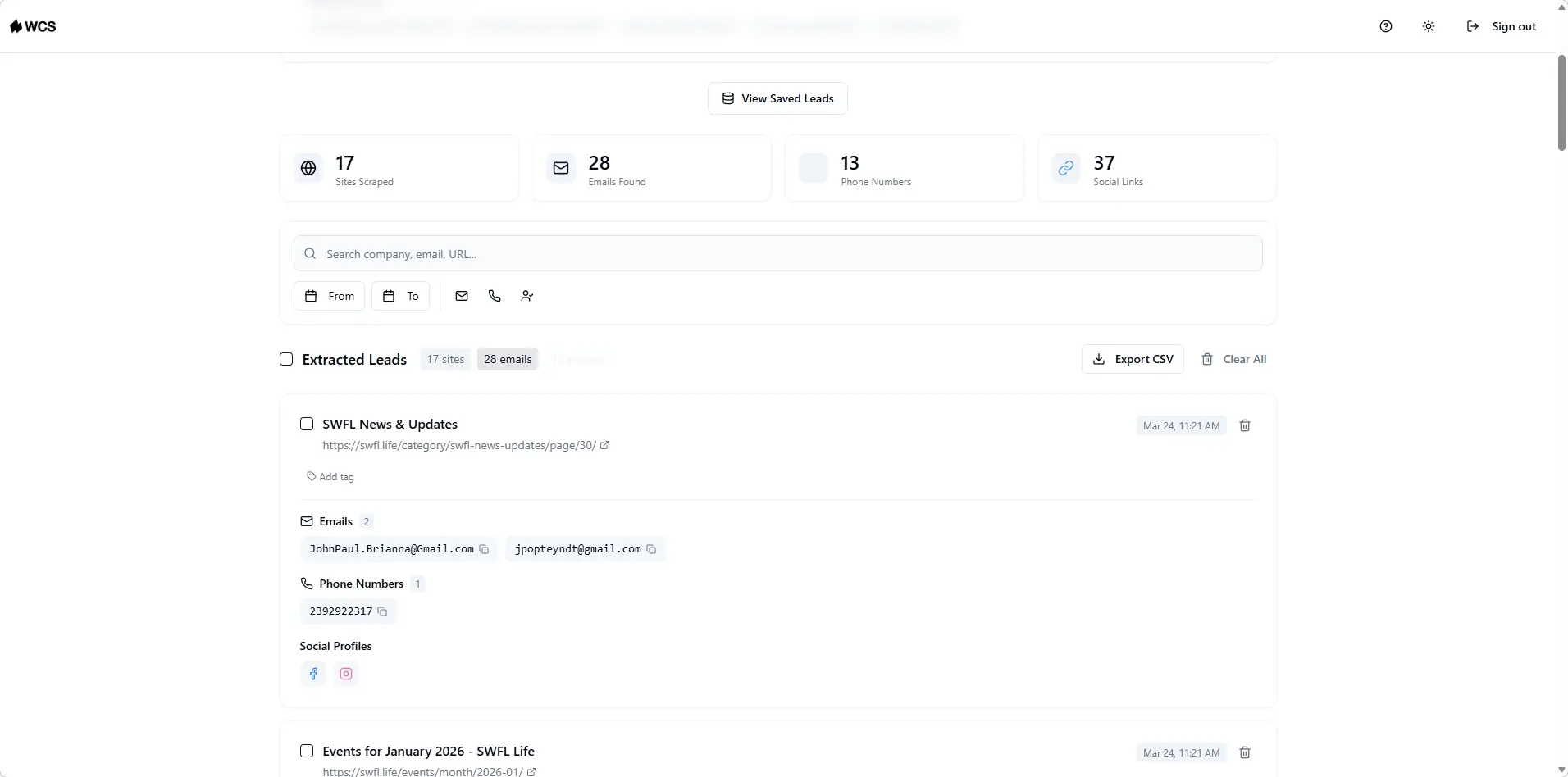
We Capture Sales's Market Miner product handles this through web scraping, monitoring competitor activity and contact data filtered by industry and location, and exporting clean CSV files your team can act on directly.
4. Invoice Processing and Accounts Payable
Processing invoices manually means someone on your team is reading documents, checking figures against purchase orders, routing approvals, and chasing signatures. At low volume that is manageable. As the business grows, it becomes a bottleneck that slows cash flow and creates errors.
AI invoice automation reads incoming invoices, validates figures, matches them against purchase orders, flags discrepancies, and routes approvals to the right person without manual input at each step. Now, an invoice that previously took three days to process now takes three minutes with AI automation in place.
Banks applying the same principle to loan approvals have cut processing time from days to minutes. For a B2B business, the same logic applies to any document-heavy financial workflow where speed and accuracy matter.
5. Customer Support Triage and Ticket Routing
When support requests come in, someone has to read each one, figure out what it is about, decide how urgent it is, and send it to the right team. At low volume, that works but at any real scale, it creates delays, misroutes, and a support team that spends most of its day sorting rather than solving.
AI support triage reads incoming tickets, detects intent and urgency from the language used, classifies the request type, and routes it to the right team or triggers an automated response for common queries. A billing question goes one direction. A technical escalation goes another. An angry message gets flagged for immediate human attention.
The result is faster first response times, fewer misroutes, and a support team that focuses on the cases that genuinely need a person rather than spending the morning triaging a queue.
6. HR Onboarding and Employee Document Management
Onboarding a new hire involves a surprising amount of coordination: collecting documents, validating completeness, routing tasks to IT, finance, and operations, sending reminders when something is missing, and making sure everything is signed before day one. Done manually across multiple hires, it is one of the most time-consuming administrative workflows in any growing business.
AI onboarding automation handles the coordination layer:
- Validates that submitted documents are complete and correctly formatted
- Routes tasks to the relevant departments automatically based on the hire's role and start date
- Sends reminders to the new hire or internal teams when action is needed
- Flags exceptions for HR to review rather than requiring HR to monitor every step manually
AI-driven onboarding workflows can reduce workflows, primarily by eliminating the manual follow-ups and rework that slow the process down. The decision-making, approvals, and relationship management stay with the people while the coordination runs automatically.
7. Contract Review and Compliance Monitoring
Reading through contracts to extract key terms, flag risks, and check clauses against company policy is slow, detail-intensive work. For businesses dealing with a high volume of vendor agreements, client contracts, or partnership documents, it is also the kind of work that creates bottlenecks precisely when the business is moving fastest.
AI contract review uses natural language processing to:
- Extract and summarize key terms, deadlines, and obligations
- Flag clauses that fall outside standard company policy
- Compare contract language against templates or regulatory requirements
- Generate an audit trail automatically for every document reviewed
For teams in regulated industries, the audit trail alone justifies the automation. For everyone else, the time saved on routine contract reviews is time that goes back to higher-value work.
8. Meeting Summarization and Action Item Tracking
Most B2B teams run a significant number of meetings every week. The notes that come out of them are inconsistent, the action items get buried in email threads, and the decisions made in one meeting get relitigated in the next because nobody documented them clearly the first time.
AI meeting automation handles the output layer. It transcribes calls and meetings in real time, generates structured summaries, extracts action items with assigned owners and deadlines, and stores everything in a searchable format your team can reference later.
The result is a consistent record of what was decided, what needs to happen next, and who is responsible for it, without anyone spending 20 minutes writing up notes after every call.
We Capture Sales's Knowledge Cloud connects directly to this use case. Meeting summaries, decisions, and action items stored inside Knowledge Cloud become part of your private AI database, source-linked and queryable by your team. A new team member can pull up context from a client meeting without asking the notes went.
9. Internal Knowledge Management
Most businesses have years of accumulated knowledge scattered across email threads, shared drives, internal documents, and the heads of people who have been there the longest. When a team member needs that information, they either know who to ask or they spend time hunting for it.
AI knowledge management centralizes that information and makes it available to both your team and the AI systems running your workflows. A new sales rep can query internal product knowledge without interrupting a senior colleague. An AI workflow can pull from a current pricing document rather than working from outdated information someone uploaded two years ago.
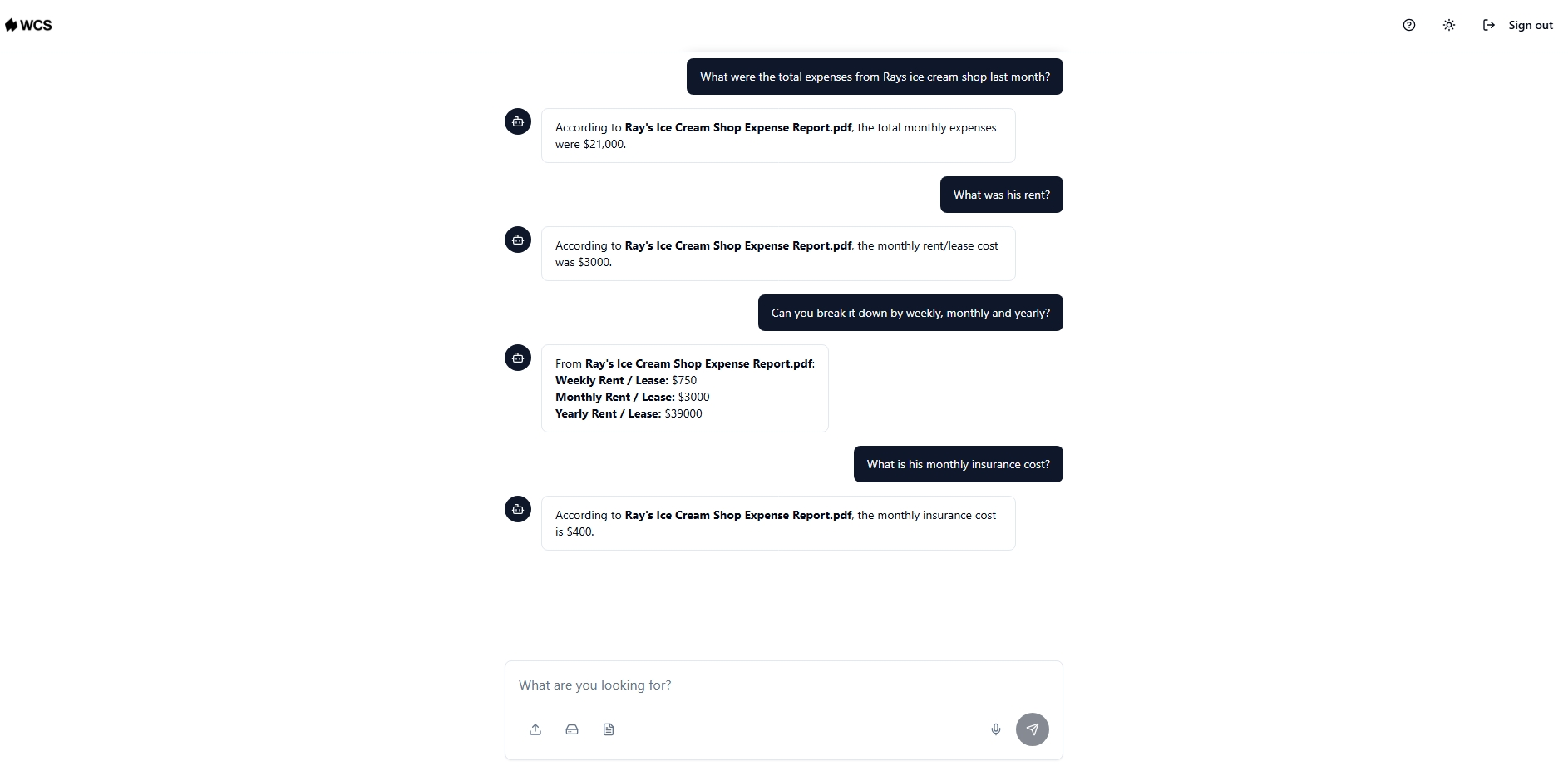
We Capture Sales's Knowledge Cloud product handles this for B2B teams. It functions as a private AI database that connects to any file type with every response source-linked so your team can verify where the information came from. It operates on private infrastructure with no public internet access, keeping sensitive business knowledge off shared AI models.
10. Data Enrichment and CRM Maintenance
A CRM is only as useful as the data inside it. Most businesses run their pipelines on records that are incomplete, outdated, or duplicated because keeping contact data current manually is a full-time job nobody is hired to do.
AI data enrichment handles the maintenance layer automatically:
Clean, enriched CRM data makes every downstream process work better. Lead scoring produces accurate results. Follow-up sequences reach the right person with the right title. Reporting reflects what is actually in the pipeline rather than what someone entered six months ago.
Where to Start With AI Business Process Automation
Looking at ten examples at once can make automation feel like a bigger project than it needs to be. The businesses that see the fastest returns do not start by mapping their entire operation. They find the one process where the pain is most visible, and the pattern is most consistent, and they start there.
A useful test: if someone on your team does the same thing more than three times a week and could write down the exact steps from memory, that process is automatable. If the steps change every time, depending on who is involved or what mood the client is in, keep a person on it.
Two questions worth sitting with before you commit to anything:
- Where does work pile up or slow down most visibly? Invoice queues, unanswered follow-ups, inconsistent social posting, support tickets sitting unrouted. The answer is usually obvious once you look for it.
- What would your team do with that time back? The goal is not automation for its own sake. It is freeing up capacity for the work that actually moves the business forward.
Pick one process, automate it well, measure what changes, and build from there.
How We Capture Sales Handles This for B2B Teams
The AI business automation examples above represent real operational problems. The difficult question for most business owners is not which processes to automate but how to get multiple processes working together without managing separate tools.
We Capture Sales builds a single custom AI system that connects the functions your business actually needs, rather than handing over a platform your team has to figure out. The process starts with a discovery conversation that maps your workflows, identifies where automation would have the most impact, and determines what a practical build looks like before anything goes live.
Four products address the use cases covered in this article directly:
- Pipeline Revival: Pulls in your existing CRM or CSV contacts and runs email and SMS sequences that adapt based on open rates and response rates, routing engaged prospects to a booking link or your website without manual handoff
- Social AI: Generates branded posts from a URL or text input across Instagram, X, Facebook, and LinkedIn, complete with AI-produced images and hashtags, organized in a content calendar your team copies and posts manually to each platform
- Knowledge Cloud: Stores your internal business knowledge in a private AI database connected to your files and Google Drive, source-linked and fully private, so every AI system running your workflows draws from accurate, current information
- Market Miner: Scrapes competitor activity and contact data filtered by industry and location, delivering clean CSV exports your team can act on without spending hours on manual research
We Capture Sales begins with a one-on-one discovery conversation with a direct look at your workflows and an assessment of where automation would have the most impact. From there, you get a clear picture of what a practical build looks like before anything goes live.
Schedule a meeting with the We Capture Sales team to get started.
Frequently Asked Questions
What is AI business process automation?
AI business process automation uses artificial intelligence to handle repetitive, coordination-heavy workflows without manual input at every step. Unlike basic rule-based automation, AI systems adapt based on what actually happens, making them useful for processes that involve variable inputs, multiple handoffs, or decisions that change depending on context.
Which business processes are best suited for AI automation?
Processes with high volume, repetitive execution, and significant coordination between people and systems see the strongest results. Sales follow-up, invoice processing, customer support triage, HR onboarding, and content creation are the most common starting points. The common thread is a predictable pattern of work that consumes time without requiring human judgment at every step.
How long does it take to see results from AI business process automation?
Pipeline revival and follow-up automation tend to show results within the first few weeks because they work on contacts already in your pipeline. Content and knowledge management take a little longer as the system builds familiarity with your brand and internal data. Starting with one specific bottleneck rather than automating everything at once consistently produces faster, cleaner results.


