




Progress Software builds AI-powered platforms to automate business processes, develop enterprise applications, and manage operational workflows. It serves large organizations well, but mid-sized businesses searching for progress alternatives often find the platform over-engineered for their needs, with implementation timelines and costs that outpace what the problem warrants.
This article covers 8 eight of the best Progress alternatives in 2026 across different automation use cases and team sizes.
Key Takeaways
- Progress Software's enterprise focus makes it a poor fit for mid-sized teams that need automation working quickly without long implementation cycles or dedicated IT resources
- The right alternative depends on your technical capacity: non-technical teams do well with Zapier and Make, while developer-friendly teams get more control with n8n
- CRM-centric platforms like Creatio go deeper on sales and service workflow automation than Progress does out of the box
- For mid-sized businesses running specific operational workflows, a custom AI system built around how the business actually runs will consistently outperform a generic platform configured to approximate the same outcome
Why Teams Look for Progress Alternatives

Progress's enterprise positioning comes with trade-offs that are worth naming directly before you spend time in a sales cycle.
- Implementation is resource-intensive: Progress products are built for organizations with the IT capacity to deploy, configure, and maintain them. Mid-sized teams without a dedicated technical staff regularly find that the time to a working system is longer and more expensive than expected.
- The product suite is broad but fragmented: Progress covers data management, workflow automation, digital experience, network monitoring, and developer tooling under one roof. Teams looking for focused automation often end up paying for capabilities they will never use while still relying on external tools to close specific gaps.
- AI capabilities skew toward infrastructure: Progress's AI story centers on data platforms, RAG systems, and developer tooling. Businesses that need AI applied directly to sales, marketing, or operational execution often need something more operationally focused.
7 Best Progress Alternatives to Consider in 2026
Not every tool on this list works the same way. We Capture Sales is not a platform you sign up for and configure yourself. It is a custom AI system built around how your business actually operates, designed for teams whose needs go beyond what any off-the-shelf product can handle.
1. We Capture Sales
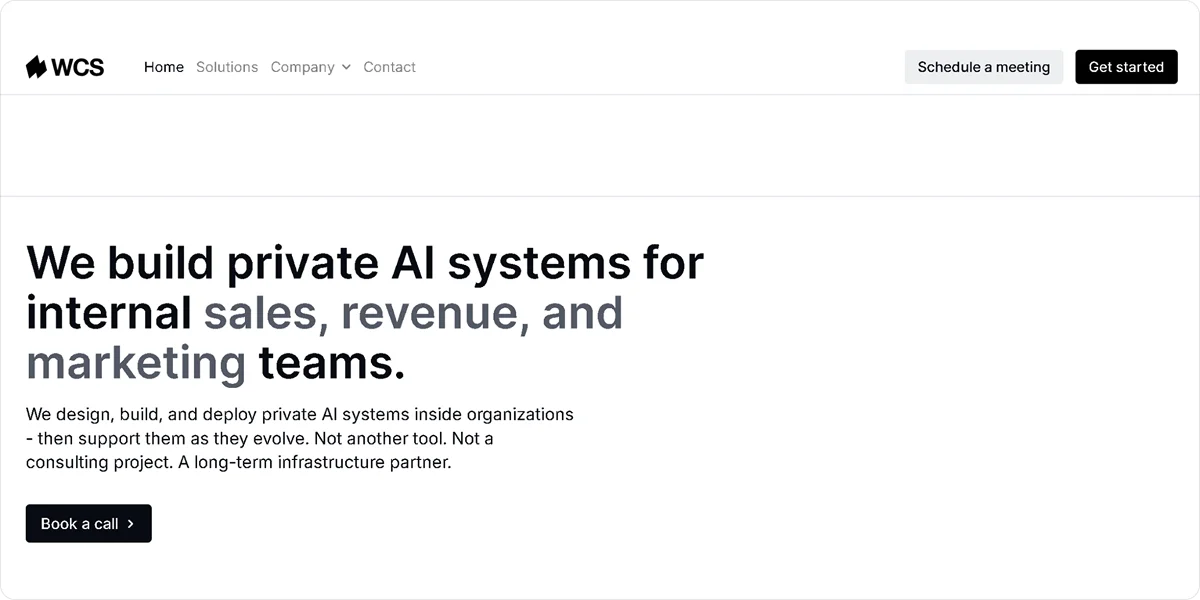
While most automation platforms hand you a system and step back, We Capture Sales builds the system around you. Every engagement begins with a one-on-one discovery conversation to understand your pipeline and needs before a single workflow is designed. What comes out is a custom AI system that fits how your business runs, not a generic platform you adapt to fit it.
Use We Capture Sales if:
- Your automation needs span sales, social media, market intelligence, and pipeline management, and you want them connected rather than running across separate tools
- You need a system built around your existing data and processes rather than one you configure to approximate them
- Your team does not have the technical capacity to build and maintain automation infrastructure independently
- You want ongoing refinement and support after go-live as your business changes
Best for: Mid-sized businesses with 75 to 300 employees that need AI-powered automation built around their specific operations.
Key Features
- Knowledge Cloud: Centralizes your business knowledge and makes it accessible to AI systems that can act on it across workflows
- Social AI: Automates social media content creation and publishing tied to your market positioning and audience data
- Market Miner: Monitors market signals, competitor activity, and buyer intent data to surface intelligence your team can act on
- Pipeline Revival: Ingests CRM or CSV contact data and runs targeted email and SMS follow-up sequences that adapt based on how each prospect responds
- Private data environment: Hosts all client data on isolated, AWS-based infrastructure that is never sold, shared, or used to train public AI models
Pros
- Builds automation logic around your specific workflow rather than requiring you to adapt to a generic product
- Covers sales AI, social media, market intelligence, and pipeline revival in a single system rather than separate tools
- Provides ongoing support and system refinement after go-live
Cons
- Adds lead time before the system goes live due to a one-on-one discovery call before implementation begins
Pricing
We Capture Sales pricing covers four core products. Pipeline Revival starts at a $2,000 startup fee plus $750 per month plus usage. Market Miner starts at a $950 startup fee plus $750 per month plus usage. Knowledge Cloud and Social AI each start at a $550 startup fee plus $950 per month, plus usage. Final pricing varies based on each client's specific requirements.
Not best for: Businesses looking for a self-serve tool they can sign up for and configure without a discovery process.
2. Zapier

Zapier is the most accessible entry point in workflow automation. It connects over 8,500 applications through a trigger-action model and lets non-technical users build functional automations in minutes. In 2026, Zapier added an AI-powered Copilot builder that generates workflows from plain-language descriptions, making setup even faster for teams without technical backgrounds.
Key Features
- Multi-step Zaps: Builds workflows that chain multiple actions across different apps in a single automated sequence triggered by one event
- Paths: Routes contacts or data through different branches based on conditions, enabling basic conditional logic within a single Zap
- Zapier Copilot: Generates Zap structures from natural language descriptions, reducing setup time for non-technical users building new workflows
- Tables and Forms: Captures, stores, and routes data within the Zapier ecosystem without requiring a separate database or form tool
- Zapier MCP: Connects AI tools to Zapier workflows through Model Context Protocol, allowing AI agents to trigger and interact with automations
Pros
- Covers 8,500+ app integrations, giving it the broadest compatibility of any tool on this list for connecting niche or industry-specific SaaS
- Enables non-technical users to build and maintain automations independently without developer involvement
- Provides reliable uptime and strong enterprise-grade security on paid plans, including SOC 2 Type II compliance
Cons
- Charges per task with costs compounding quickly on multi-step workflows, making it significantly more expensive than alternatives at high volume
Pricing
Zapier offers a free plan, which includes 100 tasks per month and single-step Zaps. Paid plans start at $29.99 per month, for 750 tasks and multi-step workflows.
Not best for: High-volume automation or complex multi-branch logic, where task-based pricing makes costs unpredictable, and alternatives like Make or n8n offer significantly better value.
3. Make

Make (formerly Integromat) is a visual automation platform built for teams that need more logic and flexibility. Its scenario builder uses a flowchart-like canvas where you connect, branch, and filter data visually across over 3,000 app integrations, making complex multi-step workflows more manageable without writing code.
Key Features
- Visual scenario builder: Designs multi-step automation workflows on a drag-and-drop canvas with routers, filters, and data transformers that handle conditional logic visually
- Routers: Splits a single workflow into multiple branches, each running different actions based on conditions, within one scenario
- Error handling: Catches and routes failed automation steps automatically, keeping workflows running even when individual actions encounter problems
- Webhooks: Triggers scenarios instantly from external events in real time, rather than relying on scheduled polling intervals
- AI agent integration: Connects natively to OpenAI, Anthropic Claude, and Google Gemini models to run AI-powered steps within automation workflows
Pros
- Delivers significantly better cost efficiency than Zapier for moderate to high automation volumes, with 10,000 credits per month from $9
- Charges per scenario execution rather than per step, keeping costs lower on complex multi-action workflows
- Includes rollover credits on paid plans, so unused monthly credits carry forward rather than being lost at the end of the billing cycle
Cons
- Has a steep learning curve, with a visual canvas that requires time to navigate before non-technical users can build confidently
- Lacks code execution options on lower-tier plans, which limits flexibility for teams that need custom logic beyond what the visual builder supports
Pricing
Make's free plan includes 1,000 credits per month. Paid plans start at $16 per month for 10,000 credits. Annual billing reduces costs by approximately 15%.
Not best for: Teams with no technical exposure who want the simplest possible setup, where Zapier's guided interface is a better starting point.
4. Microsoft Power Automate

Microsoft Power Automate is the automation layer built into the Microsoft 365 ecosystem. For organizations already running on Teams, SharePoint, Outlook, and Dynamics, it is one of the most cost-effective automation options available because standard cloud flows are included in existing Microsoft 365 licenses at no additional cost.
Key Features
- Cloud flows: Automates tasks across Microsoft and third-party apps using trigger-action logic, available on standard connectors at no extra cost with existing M365 licenses
- Desktop RPA: Records and automates repetitive desktop tasks like data entry, form filling, and legacy system navigation without API integration
- AI Builder: Processes documents, extracts data from forms, classifies text, and detects objects using pre-built AI models inside Power Automate workflows
- Premium connectors: Connects to non-Microsoft platforms, including Salesforce, SAP, and custom APIs, available on the Premium license at $15 per user per month
- Approval workflows: Routes requests through multi-level human approval chains with automated notifications, reminders, and escalations built in
Pros
- Provides genuine automation capability at no extra cost for organizations already licensed on Microsoft 365, covering standard connector flows across Outlook, Teams, and SharePoint
- Handles both cloud-based and desktop automation from one platform, removing the need for a separate RPA tool
- Integrates natively with Dynamics 365, giving sales and service teams automation that connects directly to their CRM data
Cons
- Delivers a steeper configuration experience than tools like Zapier for non-technical users unfamiliar with the Power Platform environment
Pricing
Standard cloud flows are included with Microsoft 365 Business and Enterprise licenses at no additional cost. Power Automate Premium costs $15 per user per month and adds premium connectors and attended RPA.
Not best for: Organizations not already on Microsoft 365, where the cost advantage disappears, and alternatives offer better value per dollar.
5. Creatio

Creatio is a no-code platform that integrates CRM, workflow automation, and AI agent tools into a single system. It is built for mid-to-large organizations that need to automate end-to-end customer and operational processes, not just connect apps.
Key Features
- No-code workflow builder: Designs and deploys automated business processes using a visual drag-and-drop canvas with conditional branching, SLA tracking, and approval routing
- CRM suite: Manages sales pipelines, marketing campaigns, and customer service cases from a unified platform with data shared across all three modules
- AI agent tools: Deploys AI agents that execute workflow tasks autonomously using natural language commands, with governance controls and human escalation paths built in
- Process templates: Provides over 700 pre-built workflow templates covering common business processes across 20 industries, reducing time to first working automation
- Studio Creatio: Builds custom business applications using no-code design tools, extending the platform beyond standard CRM and workflow use cases
Pros
- Combines CRM, workflow automation, and AI agents in a single platform, removing the need to manage separate tools for each function
- Supports both no-code business users and low-code developers in the same environment, allowing each to work at the level they are comfortable with
- Carries Gartner Leader recognition in B2B marketing automation and Forrester Strong Performer status in CRM, reflecting proven enterprise-grade depth
Cons
- Enforces a $10,000 per year minimum purchase requirement, making it difficult to justify for smaller teams or those testing the platform before committing
- Has a steep learning curve in initial configuration, with implementation typically taking four to eight weeks, even with partner support
Pricing
Creatio pricing starts at $25 per user per month for the Growth plan. CRM modules for Sales, Marketing, and Service each cost an additional $15 per user per month on top of the platform fee. A minimum annual purchase of $10,000 applies.
Not best for: Small teams or organizations wanting a quick evaluation period before committing, given the annual minimum and implementation timeline.
6. n8n
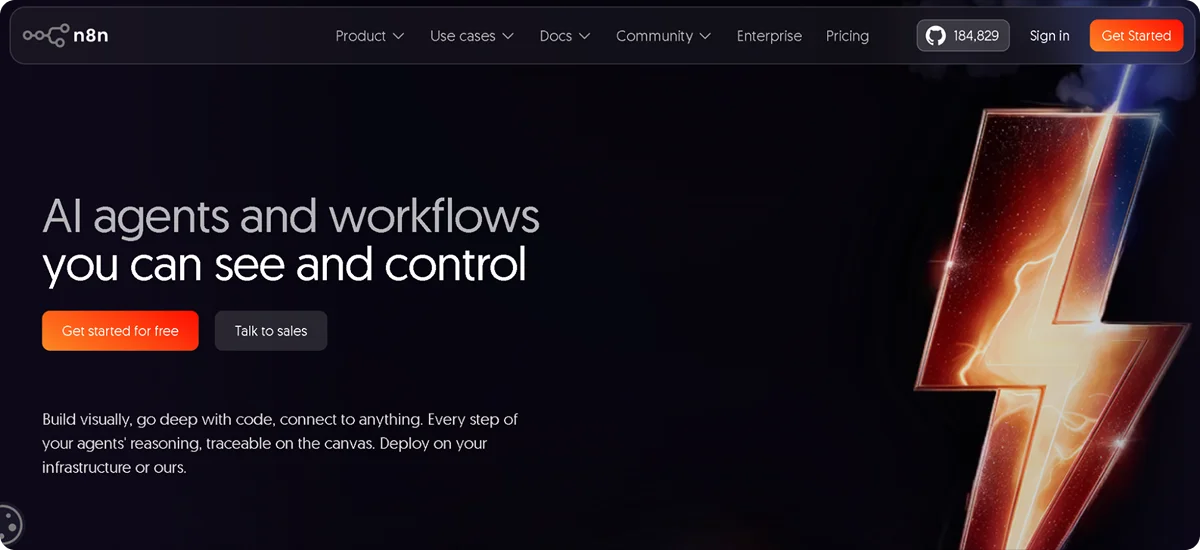
n8n is a workflow automation platform built for technical teams that want deep flexibility and data control. Its fair-code model means you can self-host the full platform for free with unlimited executions, making it the most cost-effective option for developer-comfortable teams running complex or high-volume automation.
Key Features
- Node-based workflow editor: Builds workflows by connecting nodes on a visual canvas, with each node representing a trigger, action, or data transformation across 400+ integrations
- Self-hosted Community Edition: Runs the full platform on your own infrastructure at no cost to n8n, with no execution limits, no workflow limits, and access to all integrations
- Native AI nodes: Integrates with LangChain-based tools including LLM nodes, vector stores, memory, and AI agent nodes, enabling AI-powered workflows without leaving the n8n canvas
- Code nodes: Writes custom JavaScript or Python directly inside workflow steps, handling data transformations or business logic that visual builders cannot cover
- Per-execution billing: Counts one execution per full workflow run, regardless of the number of steps inside it, making complex multi-step workflows significantly cheaper than per-task alternatives
Pros
- Provides the Community Edition completely free with unlimited executions, giving technical teams a production-ready automation platform at infrastructure cost only
- Charges per workflow execution rather than per step, so adding more actions to a workflow does not increase the cost the way it does on Zapier or Make
- Supports 70+ native AI nodes for building agents, memory-backed workflows, and RAG pipelines directly inside the automation environment
Cons
- Requires technical comfort with APIs, data structures, and server management, making it inaccessible for non-technical teams without developer support
- Locks SSO, advanced RBAC, and compliance features behind the Business plan at $800 per month on cloud, pricing enterprise security features out of smaller teams
Pricing
n8n has a self-hosted Community Edition that is free with unlimited executions. n8n Cloud plans start at $24 per month for 2,500 executions on the Starter plan and $60 per month for 10,000 executions on the Pro plan. Enterprise pricing is custom.
Not best for: Non-technical teams or organizations without server management capacity, where the self-hosted advantage disappears, and cloud plan execution limits become restrictive quickly.
7. Wrike

Wrike is a work management and project automation platform that suits teams moving from manual project coordination to structured, AI-assisted workflows. It covers task automation, resource management, and real-time reporting in a single platform, with an AI layer called Wrike Copilot that suggests automation based on how a team actually uses the tool.
Key Features
- AI-powered workflow suggestions: Analyzes team usage patterns and recommend automation rules that reduce manual status updates, task assignments, and notification routing
- Custom workflow automation: Builds automation rules triggered by task status changes, due dates, or field updates, routing work and notifications without manual intervention
- Gantt charts and dependencies: Visualizes project timelines with task dependencies and critical path identification, connecting workflow automation to project planning in one view
- Real-time dashboards: Tracks project health, team workload, and workflow performance across active projects with customizable reporting views
- Approval flows: Routes deliverables through multi-step review and approval processes with tracked feedback, version history, and automated reminders
Pros
- Provides AI-driven workflow suggestions based on actual team behavior rather than requiring manual automation setup from scratch
- Combines project management and workflow automation in one platform, removing the need to switch between tools for planning and execution
- Offers a free plan with unlimited users, making it accessible for teams evaluating the platform before committing to a paid tier
Cons
- Delivers less depth in app integration compared to dedicated automation platforms, making it a weaker fit for teams that need to connect many external systems
- Locks full AI automation capabilities and cross-departmental reporting behind the Business plan, which limits the value of the entry-level Team tier
Pricing
Wrike offers a free plan with unlimited users and basic features. The Team plan starts at $10 per user per month. Enterprise and Pinnacle plans are available at custom pricing.
Not best for: Teams that need deep cross-app automation or data integration, where dedicated platforms handle external system connections more effectively.
How We Capture Sales Handles Business Automation
Most automation platforms are built for the widest possible audience. They work well when your team can configure, manage, and optimize them independently. When your processes have specific requirements that those platforms were not designed for, you either adapt or stack more tools on top.
We Capture Sales works from the other direction. Every engagement starts with a one-on-one discovery conversation before anything gets built. The goal is to understand the actual workflow, identify the gaps, and define a practical solution for that specific business before a single automation goes live.
The product suite covers the areas where mid-sized businesses lose the most time:
- Knowledge Cloud: Structures and surfaces your internal knowledge so your team and your AI systems can act on it
- Social AI: Handles social content creation and publishing tied to your actual market positioning
- Market Miner: Monitors market signals and competitor activity and delivers intelligence your team can use
- Pipeline Revival: Runs targeted, behavior-adaptive email and SMS follow-up sequences on contacts from your CRM or CSV files, converting engaged prospects through embedded booking links without manual handoff
Every solution runs on private, AWS-based infrastructure. Your data is never sold, shared, or used to train public AI models. Support continues after go-live, with ongoing refinement as your business evolves.
Not sure which part of your operation to automate first?
Book a call with the We Capture Sales team for a free consultation.
Frequently Asked Questions
What does Progress Software do?
Progress Software builds AI-powered platforms for developing, deploying, and managing enterprise business applications. Its product portfolio includes tools for data management, workflow automation, digital experience management, network monitoring, and developer productivity. It primarily serves large enterprises and organizations with dedicated technical teams.
What is the best alternative to Progress Software for mid-sized businesses?
The best alternative depends on what you need automation to do. For connecting apps without technical expertise, Zapier or Make are solid starting points. For CRM-integrated workflow automation, Creatio offers the deepest feature set. For teams that need AI automation built around their specific operations rather than a standard platform, We Capture Sales provides a custom system built to fit.
Is n8n a good Progress alternative for technical teams?
Yes. n8n's self-hosted Community Edition is free with unlimited executions, and its node-based builder supports complex conditional logic, custom code, and native AI agent workflows. For developer-comfortable teams that want full data control and maximum flexibility, it is one of the most capable options on this list.


