




Signing up for a software trial often means handing over a credit card before seeing anything useful—and often discovering that the features worth evaluating are locked behind a paid tier.
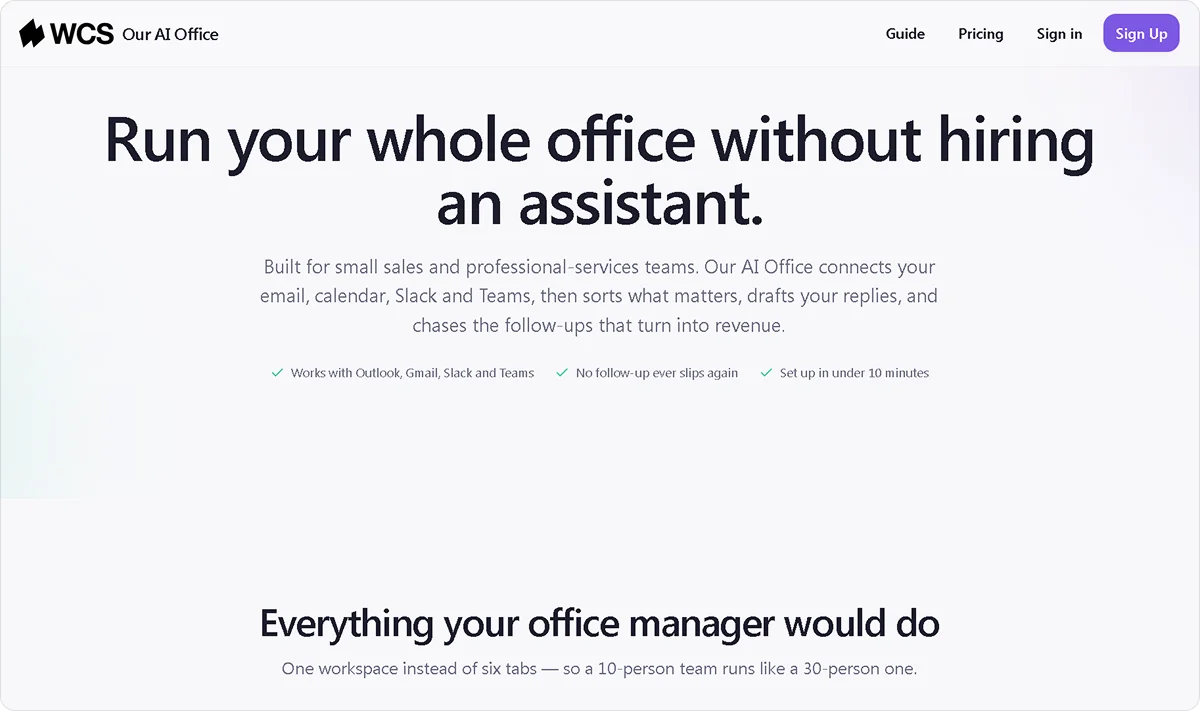
Our AI Office is AI office software that takes a different approach, giving full workspace access from day one with no restrictions on what the team can explore.
This article covers what is included in the trial, what the plans cost after 14 days, and how to make the most of the time before the trial ends.
Key Takeaways
- Our AI Office software free trial runs for 14 days, requires no credit card, and provides full workspace access from the moment the account is created.
- Both paid plans include identical workspace features. Seat count is the only difference between Team and Business.
- The monthly base rate covers feature access. Usage charges on top reflect AI activity across the workspace each month.
- Connecting the inbox and uploading documents to Knowledge Cloud early in the trial produces the most useful evaluation period.
- We Capture Sales offers Our AI Office on a per-organization pricing model with no annual contract required on either plan.
What Our AI Office Free Trial Covers
The free trial gives you complete access to Our AI Office workspace from day one. The trial runs for 14 days with full feature access. No payment details are collected at signup, so the trial ends without any automatic charge.
Here is what is included from the moment the account is created:
- Unified inbox: Email arrives in one place, with AI reading, prioritizing, and drafting responses automatically
- Calendar: Scheduling, conflict detection, and time management connected to your inbox and tasks
- Tasks: Generated automatically from emails, voice notes, and meetings without manual entry
- Voice notes: Spoken input converts directly into tasks, calendar events, or knowledge entries
- Knowledge Cloud: Internal documentation uploaded and made queryable in plain language, with every response source-linked
- Weekly review: A structured summary of what happened across inbox, calendar, tasks, and knowledge each week
- Decisions: A searchable record of significant choices made across your operation
- Workflows and AI replies: Multi-step process automation and AI-assisted communication across the workspace
- AI agents: Autonomous agents that act across your connected tools without manual direction at every step
Every feature in the workspace is available during the trial. The difference between the Team and Business plans after the trial is seat count, not feature access. For a deeper look at how tasks work across the workspace, the AI task automation guide explains how emails, meetings, and voice notes are automatically converted into tracked action items.
Our AI Office Plans After the Free Trial
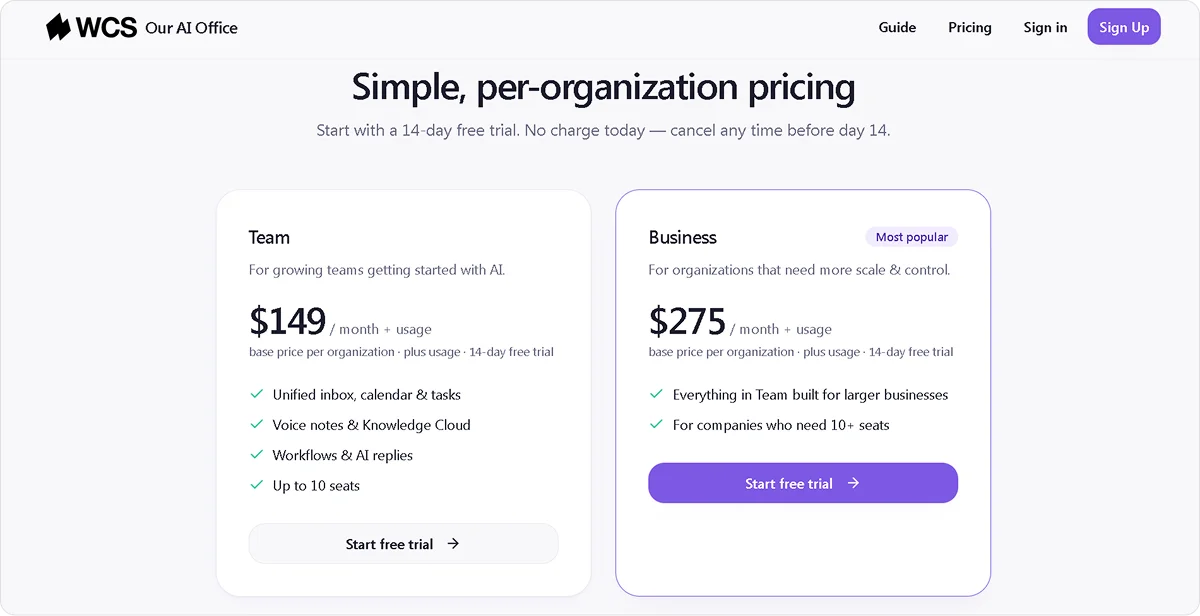
When the 14-day trial ends, two plans are available. Both are priced per organization rather than per seat, so the monthly cost remains flat regardless of how many people join up to the seat limit.
Neither plan requires an annual contract. Switching between plans or canceling is not locked behind a commitment period. The full workspace is available on both plans from day one with no onboarding fee or setup cost on top of the monthly rate.
The monthly base rate covers full feature access, with additional usage charges reflecting AI activity across the workspace each month.
What to Do During Your Free Trial
Fourteen days is enough time to evaluate whether the platform fits, but only if you set up the right functions early. Four steps help the trial produce a useful picture before it ends.
Connect Your Inbox on Day One
The inbox is where most of the workspace value starts. Tasks, weekly reviews, and AI replies all depend on inbox activity to be useful. Connecting it on the first day gives the system the full 14 days to work with real data rather than starting from scratch mid-trial. This is also where automated follow-up starts producing value, as the inbox feeds directly into outreach context across the workspace.
Upload Core Documents to Knowledge Cloud Early
Knowledge Cloud becomes useful once it has internal documentation to draw from. Good starting points include:
- Pricing guides and product documentation
- Process guides and standard operating procedures
- Client context and onboarding materials
- Past decisions and internal reference documents
Uploading in the first two days gives the system time to demonstrate its value before the trial ends. Knowledge Cloud works best when it has enough documentation to draw from, which is why queryable institutional knowledge produces the clearest return when content is uploaded early.
Run One Full Week Before Evaluating
The weekly review only produces a meaningful summary after a full week of activity across the inbox, calendar, and tasks. Running at least one complete week before forming a view gives the platform enough data to show what the output looks like in practice rather than evaluating it on a partial picture.
Invite the Full Team
Per-organization pricing means that adding team members during the trial does not increase the cost. Getting everyone to use the platform during the 14 days produces a more accurate picture of fit than one person evaluating it alone. The workspace functions become more useful as more team members contribute activity, particularly Knowledge Cloud and the weekly review.
What Happens When Your Free Trial Ends
At the end of 14 days, your team can choose a plan to continue, or the account stays inactive until a decision is made. Two options are available:
- Team plan at $149 per month plus usage: Covers organizations with up to 10 people and includes full workspace access from day one
- Business plan at $275 per month plus usage: Built for organizations that need more than 10 seats, with the same full workspace access
Workspace data, uploaded documents, task history, and knowledge base all carry over into the paid plan, so the team picks up where the trial left off.
Who Is Our AI Office Free Trial Best Suited For?
The free trial works well in some situations and less so in others.
It fits well when:
- Your team currently manages inbox, tasks, calendar, and knowledge across three or more separate tools and wants to evaluate a connected alternative before committing
- Your operation generates enough daily activity across email, meetings, and voice notes to give the workspace meaningful data to work with within 14 days
- Your team has internal documentation ready to upload to Knowledge Cloud from day one, since the more content the system has to work with, the more useful the trial becomes
It is less suitable when:
- Your team needs a tool running within a day with no setup time, since the workspace takes a few days of activity before the weekly review and task automation produce a meaningful output
- You are still early in building your workflows and do not yet have process documentation to upload to Knowledge Cloud
- You need a dedicated visual drag-and-drop sales pipeline as a core CRM function before evaluating anything else
Removing the financial commitment from the evaluation is one of the clearest practical arguments for starting with a free trial when comparing AI tools for business automation.
How to Start Your Our AI Office Free Trial
Starting the trial takes under a minute with no credit card required. Full workspace access begins immediately after signup.
To get started:
- Go to Our AI Office and click Start Free Trial
- Create an account with a business email
- Connect your inbox and invite your team on day one
- Upload core documents to Knowledge Cloud before the end of day two
The 14-day clock starts from the moment the account is created, so connecting the inbox and uploading documents early makes the trial period as productive as possible.
Start your free trial or book a demo with the We Capture Sales team to get started.
FAQ
Can I switch between the Team and Business plans after the trial?
Yes. Since neither plan requires an annual contract, switching between them is straightforward. A team that starts on the Team plan and grows beyond 10 seats can move to the Business plan without a penalty or a new commitment period.
How does Our AI Office compare to other AI workspace free trials?
Most AI workspace tools either require a credit card to start or restrict features during the trial period. Our AI Office requires neither. The full workspace is available from day one with no payment details collected upfront, and both plans carry the same 14-day trial regardless of which one the team intends to continue with.
Can the trial be extended beyond 14 days?
The standard trial period is 14 days. If your team needs more time to evaluate, the most practical option is subscribing to the Team plan at $149 per month, which carries no annual contract and can be canceled at any time. That gives the team ongoing access without a long-term commitment while the evaluation continues.
Does Our AI Office work with tools the team already uses?
Yes. The workspace connects to your existing email, so there is no migration involved.


