




Running a 10-person business means most of your colleagues wear more than one hat, and keeping it all coordinated across separate tools takes time a small team cannot afford to lose.
Business.com's 2026 Small Business AI Outlook Report found that SMB employees save an average of 5.6 hours per week using AI tools. As a team of 10, this equals 56 hours per week. A productivity platform for a small business makes that recovery consistent rather than dependent on which tools each person happens to be using.
This article walks through what a typical week looks like for a 10-person B2B team using Our AI Office, explaining which features handle which tasks, how they connect, and what the outcome looks like in practice.
Key Takeaways
- Running separate tools for email, tasks, calendar, and outreach creates coordination work that compounds across every person on the team every day.
- The functions that matter most for a small B2B team (inbox, tasks, knowledge, content, and outreach) are more valuable when they share data than when each one operates on its own.
- Per-organization pricing keeps platform costs predictable as the team grows, unlike per-seat tools where adding a new hire increases the monthly bill across every subscription.
- Migrating to a connected platform works best when done one function at a time, starting with the one that causes the most daily friction.
- We Capture Sales builds Our AI Office around the daily operational needs of small B2B teams, with a 14-day free trial and no annual contract required to get started.
What Is a Productivity Platform for Small Businesses?
A productivity platform for small businesses is a connected system that handles the operational functions a small team runs every day from one environment. Inbox, calendar, tasks, knowledge, content, and outreach all share data rather than operating as separate tools that your team manually bridges.
Individual productivity apps handle one function well but do not know what is happening in others. Your team has to move information between them, and that is where time gets lost.
A connected platform reads across all functions and acts on what it finds, so an email with a deadline becomes a task and a meeting decision becomes a searchable record without anyone manually creating those connections.
Here is how the two approaches compare:
What a Typical Week Looks Like for a 10-Person Team
The scenario below follows a 10-person B2B team through a typical working week using Our AI Office. Each day covers a distinct operational function and shows what changes when that function runs from a connected system instead of a separate tool.
Monday — Inbox and Task Setup
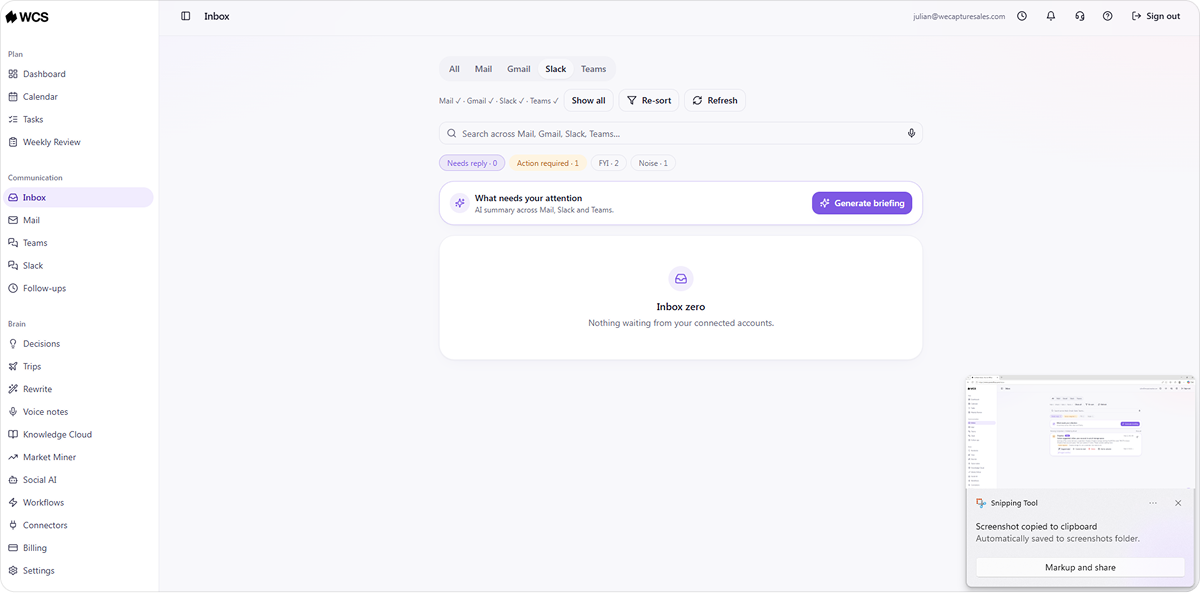
The week starts with an inbox that has accumulated over the weekend. Without a connected system, someone has to read through every message, decide what needs action, open a task manager, and create each item manually before the actual work begins.
Our AI Office automates the task creation by reading incoming emails and generating tasks based on the email content that includes deadlines, requests, or commitments. The weekly review from Friday also covers what happened last week and what is on the horizon, giving the team a clear starting point without having to put the pieces together.
By the time the first meeting starts, the task list is already populated from what arrived overnight.
One of the most consistent benefits of AI task management software: The setup that would normally occupy Monday morning happens beforehand.
Tuesday — Prospect Research and Outreach
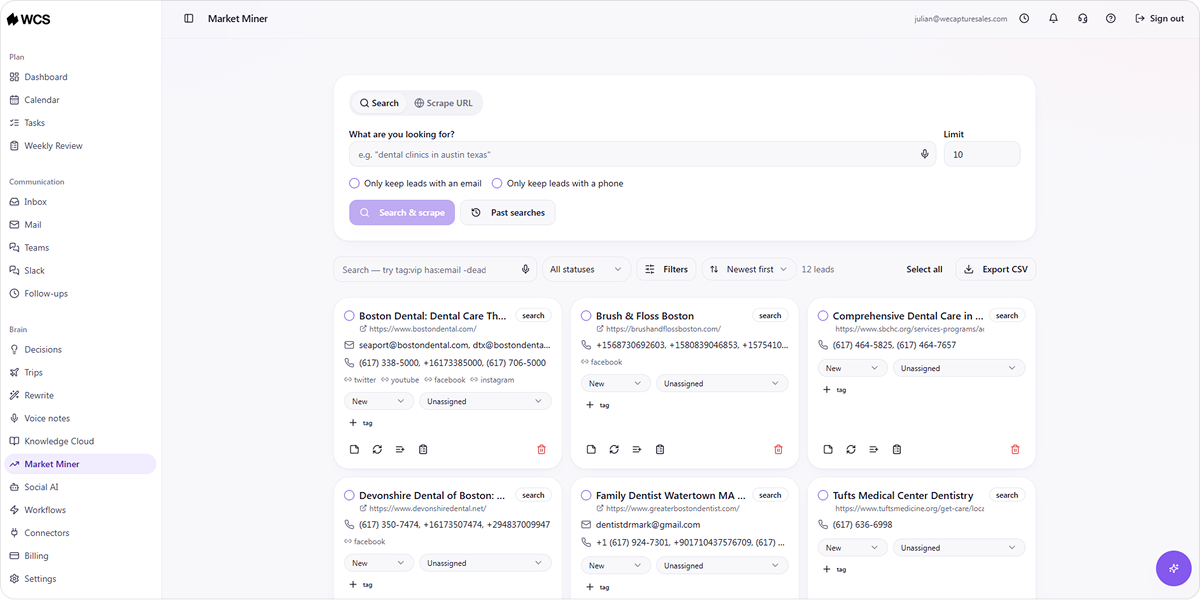
The sales rep needs a fresh prospect list for a campaign targeting logistics companies in the Northeast. Pulling that list manually means hours of research across LinkedIn, company websites, and industry directories with no guarantee that the data is current.
Market Miner pulls competitor activity and contact data filtered by industry and location, delivering a clean CSV export that the rep can act on directly.
Wednesday — Content and Brand Presence
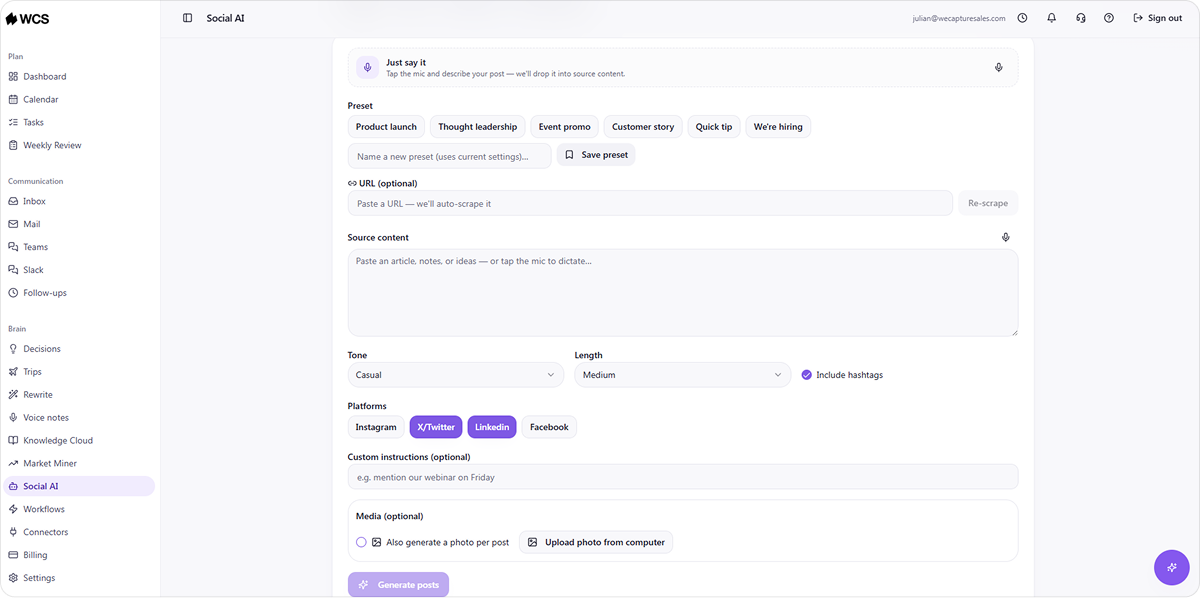
The marketing lead needs three LinkedIn posts for the week. Writing them from scratch, adapting them for each platform, and organizing them for the team to review and post consume several hours that could go toward other work.
Social AI generates branded posts from a product update URL across Instagram, X, Facebook, and LinkedIn, with AI-produced images and relevant hashtags. Content is organized in a calendar that the team copies and posts manually to each platform.
The same messaging context that informs the outreach sequences informs the content, keeping brand voice consistent across channels without anyone manually coordinating the two.
That consistency between outreach and content is one of the practical returns of running both through AI marketing automation solutions from a connected system.
Thursday — Client Preparation and Knowledge Access
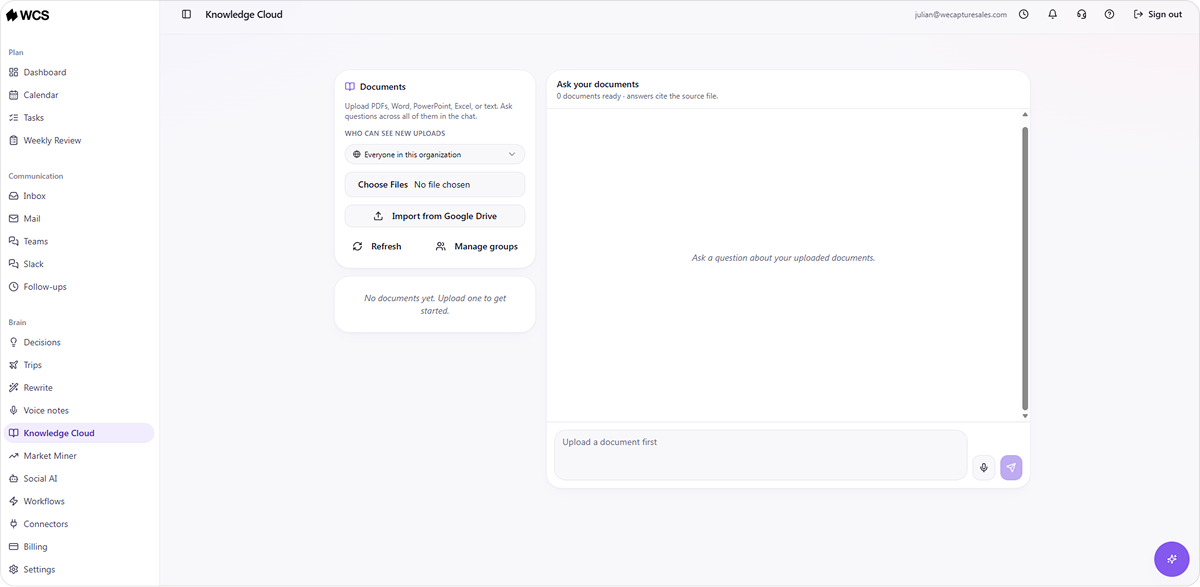
The account manager has two client calls on Thursday. Before each one, they need relevant case studies, past decisions, pricing context, and product details specific to each client. Without a knowledge system, that means searching shared drives, asking colleagues, and hoping the documents they find are up to date.
With Knowledge Cloud, each query returns a source-linked answer drawn from the team's own internal documentation in seconds. The preparation that previously took 40 minutes takes under five minutes, and every answer comes with a source attached, so the account manager can verify it before the call.
That accessibility is what turns institutional knowledge from something that lives in one person's head into something the whole team can access without interrupting anyone.
Friday — Review and Planning
The week ends with the weekly review generating a structured summary of what happened across inbox, calendar, tasks, and knowledge. Decisions made during client calls get recorded and linked to the relevant tasks and calendar events so the context behind them stays searchable.
The team goes into the weekend with a clear picture of what was done, what was not, and what needs attention on Monday, without anyone spending Friday afternoon piecing that picture together from five different tools.
That kind of closing structure is one of the less obvious but most consistent returns from AI workflow automation applied at the workspace level.
What Changes When a Small Team Works from One Platform
Running these functions from one connected platform produces three specific changes that separate tools cannot replicate, regardless of how good each individual tool is.
Coordination Work Drops Significantly
When inbox, tasks, calendar, and knowledge share data, the manual work of moving information between them disappears. A task created from an email automatically connects to the relevant Knowledge Cloud entry. A decision recorded after a meeting links to the relevant task without anyone creating that connection manually.
That shift is proportionally larger for a small team where every hour of coordination overhead represents a meaningful share of total weekly capacity.
Everyone Works from the Same Information
When knowledge, outreach context, and content messaging all draw from the same connected source, the sales rep and the account manager are working from the same version of the truth. Consistency across outputs improves without anyone manually coordinating it.
In practice, this means that a prospect that receives an outreach email and sees a LinkedIn post from the same company the next day gets a coherent message. A new hire who queries Knowledge Cloud gets the same answer as a five-year team member.
The Cost Stays Flat as the Team Grows
Per-organization pricing means a team of 10 pays the same monthly rate as a team of 3. As the team grows, platform costs stay flat while per-seat tools compound with every new hire.
Building a growth plan around scaling sales with AI automation is easier when platform costs don't change with headcount.
What to Check Before Choosing a Productivity Platform
Not every platform marketed as an all-in-one solution covers all the functions a small team actually needs. Four criteria help identify which ones will hold up in daily use:
- Coverage across daily functions: Confirm the platform covers inbox, tasks, calendar, knowledge, and outreach natively. A platform that handles four of the five still requires a separate tool for the fifth, which brings the coordination overhead back.
- Data privacy: Your client data, internal processes, and business knowledge all live inside a productivity platform. Confirm whether it processes that data on shared infrastructure or in a fully isolated environment before connecting anything sensitive.
- Per-organization pricing: Per-seat pricing compounds as the team grows. A platform priced per organization keeps costs predictable regardless of headcount.
- Free trial without commitment: A platform your team will use every day needs to be tested before you commit. Confirm that a free trial is available and that no annual contract is required upfront.
How Our AI Office Works for a 10-Person Team
Most productivity tools are built for one function and integrated with others as an afterthought. Our AI Office is built the other way around: The connections between functions are the product, not a feature added after the fact.
For a 10-person team, that means the account manager preparing for Thursday's client calls is drawing from the same internal knowledge that informed Monday's outreach sequences. The content the marketing lead published on Wednesday reflects the same messaging the sales rep is using in Pipeline Revival.
Everything your team produces feeds back into the same connected environment rather than sitting in a separate tool nobody else can see.
The workspace covers the daily operational layer:
- Inbox, calendar, tasks, voice notes, Knowledge Cloud, weekly review, and decisions all operate from one environment
- Tasks are generated automatically from emails, voice notes, and meetings without manual entry
- Knowledge Cloud returns source-linked answers from your internal documentation in seconds
- The weekly review closes out each week with a structured summary across all workspace functions
The B2B automation products cover the growth layer:
- Social AI generates branded posts across Instagram, X, Facebook, and LinkedIn from a URL or text input, organized in a content calendar your team copies and posts manually
- Market Miner pulls live competitor activity and contact data filtered by industry and location into clean CSV exports your team can act on directly
Every system runs on fully isolated infrastructure. Your data never touches a public AI model, and pricing stays flat per organization regardless of how many people join the team.
Our AI Office runs on two plans:
- Team plan for $149 per month plus usage: Up to 10 people, 14-day free trial, no charge upfront
- Business plan for $275 per month plus usage: For organizations that need more than 10 seats, the same free trial applies
Start your free trial or book a demo with the We Capture Sales team to get started.
Frequently Asked Questions
How do you know when your team needs a productivity platform?
A few signals show up consistently: Your team asks each other for information that should already be findable, the same task gets created in two different tools, and follow-up depends on someone remembering rather than a system flagging it. Any one of those is worth addressing.
Does switching to a new platform disrupt how a small team works?
It can, and the risk is higher when the migration happens all at once. Moving one function at a time gives the team space to adjust before the next one is added.
What is the right way to move from separate tools to one platform?
Start with the function that causes the most friction and get that working before connecting anything else. The platform compounds in value as more functions connect, but only if you set up each connection correctly before adding the next.


