




Searching for information, switching between apps, and manually updating task lists most likely isn’t the work your team was hired to do. And yet, Asana's research found that an average of 60% of an employee’s day is spent on coordination and administrative tasks rather than skilled work that actually moves the business forward.
To put a stop to this trend, AI workspace software like Our AI Office brings inbox, calendar, tasks, voice notes, and knowledge into one environment, automating coordination rather than letting it fall on your team.
This article covers what AI workspace software is, what Our AI Office includes, how it compares to tools you’re likely already using, and how the workspace functions connect in practice.
Key Takeaways
- Managing work across disconnected apps creates a productivity cost that compounds daily without anyone actively tracking it.
- Our AI Office combines inbox, calendar, tasks, voice notes, Knowledge Cloud, weekly review, decisions, and workflows into one environment.
- Each function feeds into the others, so adding more of the workspace to your daily routine produces better outcomes than using any single feature in isolation.
- Our AI Office is the entry point to the full We Capture Sales ecosystem, connecting the daily workspace to the B2B automation products built on top of it.
What Is AI Workspace Software?
AI workspace software is a single environment that brings your inbox, calendar, tasks, notes, and knowledge base into one place, with AI handling the coordination between them automatically.
A standard productivity suite stores information in separate apps. You check email in one place, tasks in another, and notes in a third. Moving information between them falls on your team. Meanwhile, AI workspace software acts across all of those functions: it generates tasks from emails, flags calendar conflicts, and returns knowledge without anyone manually bridging the tools.
AI workspace software is sometimes confused with standard AI assistants. However, while an AI assistant answers questions, an AI workspace manages the environment where work actually happens. This difference matters for teams that need more than a better chatbot.
Here’s how the two approaches compare across functions:
What Our AI Office Includes
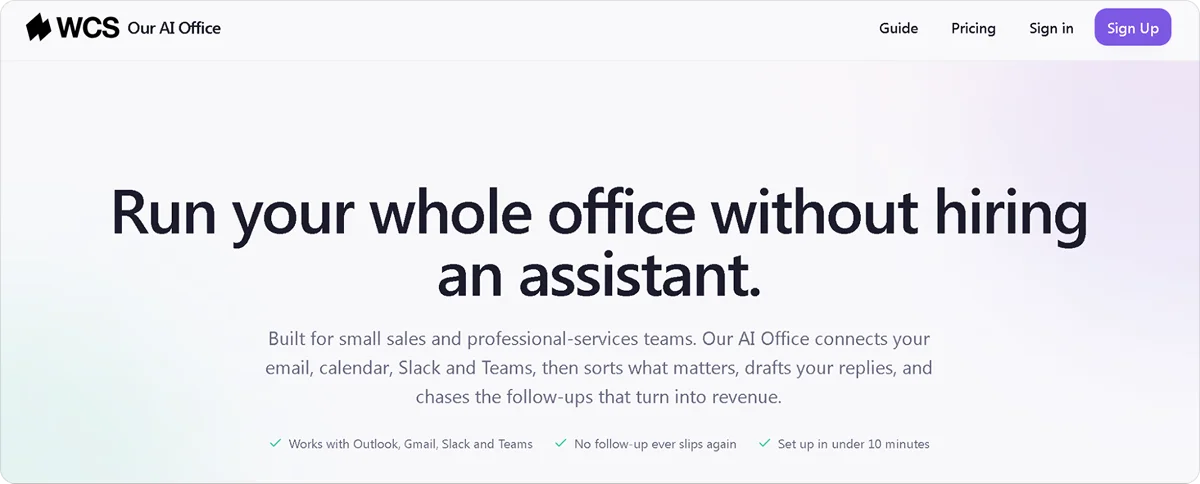
Our AI Office is We Capture Sales' AI workspace, built to bring the tools your team uses every day into one connected environment. Instead of switching between email, calendar, tasks, and notes apps, everything runs from one place and shares data across the board.
Each workspace function handles a different part of the workday, and each one feeds into the others so information moves automatically.
Unified Inbox
The inbox brings your email into one place and uses AI to read, prioritize, and draft responses. Rather than sorting every message manually, the system surfaces what needs action and handles routine replies without starting from scratch.
The inbox function eliminates:
- The time spent deciding what to action, defer, or delete across dozens of messages
- The back-and-forth of drafting replies to routine requests
- The risk of missing something important in a cluttered inbox
Calendar
The calendar reads across your inbox and tasks to flag conflicts, suggest timing, and keep your schedule organized around what actually needs to happen. A meeting request that arrives by email can become a calendar event without leaving the workspace.
Scheduling decisions that previously required switching between three apps now happen in one place, removing the coordination overhead that typically consumes the first part of any workday.
Tasks
Tasks are generated automatically from emails, voice notes, and meetings rather than created one by one. The system tracks what needs to be done, when, and by whom, without your team updating a separate task manager after every interaction.
A commitment made in an email, a follow-up mentioned in a voice note, or an action item from a meeting automatically becomes a task. This removes the most common cause of business slip-ups: the step where someone should have written it down.
Voice Notes
Voice notes capture spoken input and convert it directly into structured outputs: tasks, calendar events, email drafts, or knowledge entries. An idea captured during a commute or a decision made on a call becomes an actionable item without typing anything out.
Rather than a transcript, the output is an action the workspace can act on immediately, which makes it meaningfully different from standard voice memo apps that require manual follow-through to be useful.
Knowledge Cloud
Knowledge Cloud stores your internal business documentation in a private, source-linked database any team member can query directly. Every response includes a source, so your team can verify information without asking another colleague.
Rather than searching shared drives or waiting for someone who knows the answer to be available, the system returns a verified answer in seconds. That accessibility is what separates a knowledge base that actually gets used from one that sits unvisited in a shared folder.
Weekly Review
The weekly review produces a structured summary of what happened across your inbox, calendar, tasks, and knowledge during the week. Rather than assembling that picture manually from five different tools, the system produces one unified view covering what got done, what didn’t, and what’s coming up next.
The review gives your team a consistent planning foundation at the end of every week without the administrative work of building it from scratch.
Decisions
The decisions feature creates a searchable record of significant choices made across your operation. Instead of losing the reasoning behind a decision in an email thread nobody can find six months later, it lives in a dedicated place connected to the rest of your workspace.
That record becomes particularly useful when:
- A decision needs revisiting, and the reasoning behind it matters
- A new team member needs context on how things came to be the way they are
- The same question comes up again, and the answer should already exist somewhere
Workflows and AI Replies
Workflows automate multi-step processes across your workspace without anyone manually triggering each step. A recurring process that currently requires someone to remember, initiate, and follow through runs automatically once it’s configured.
AI replies handle routine communication, so your team responds faster without drafting from scratch every time. These two functions work together to remove the coordination layer that adds up across a typical workday.
If you’re already working through AI workflow automation examples across your operation, the workflow function in Our AI Office extends that same logic into the workspace itself.
Benefits of Using AI Workspace Software
Consolidating your tools into one workspace produces measurable outcomes in how your team spends its time and how reliably work gets done. Below are the three benefits that show up consistently.
Less Time Switching Between Tools
Every time your team switches between apps to find information, update a task, or check a calendar, it costs focus time. That cost compounds across dozens of switches per day without anyone tracking it.
A workspace that handles inbox, calendar, tasks, and knowledge from one environment removes the switching entirely. The information your team needs is either already visible or queryable from where they already are.
Commitments and Deadlines Stay Visible
When inbox, tasks, and calendar don’t share data, important information gets missed because it lives in the wrong app at the wrong moment. A deadline mentioned in an email never gets connected to a task, or a commitment made in a meeting never ends up written down.
When those functions share data, the system catches what your team would otherwise have to remember. An email about a deadline becomes a task and a calendar event without anyone having to create them manually.
Knowledge Stays Accessible
Decisions, meeting notes, and process documentation accumulate over time. Without a searchable knowledge base, that information ends up scattered across email threads, shared drives, and notes apps, and nobody can find it when they need it.
A queryable knowledge base means any team member gets a verified answer in seconds. That accessibility is what makes institutional knowledge a practical operational asset rather than something that gets lost when a senior employee leaves.
Faster Response Times Without More Effort
AI replies and workflow automation mean your team responds to communications faster without spending proportionally more time drafting. Routine messages get handled automatically.
Responses that require judgment get the attention they deserve because the routine layer isn’t taking up the same amount of time. That shift is one of the benefits of AI marketing automation when it runs at the workspace level rather than across individual campaigns.
How the Workspace Functions Connect in Practice
Each function in Our AI Office is useful on its own. The return compounds in how they connect. Here are three examples of what that looks like in a typical workday:
- Email to action: An email arrives about a project deadline. Our AI Office reads it, creates a task with the deadline attached, adds a calendar event, and drafts a reply. Your team acts on it rather than triaging it manually across three different apps.
- Voice to record: A voice note captured during a commute gets converted into a task, stored in Knowledge Cloud, and flagged in the weekly review. The idea doesn’t get lost between the commute and the desk.
- Decision to searchable record: A decision made in a meeting gets recorded in the decisions feature, linked to the relevant task and calendar event, and becomes searchable later when the team needs to understand why a choice was made.
Connected record-keeping of this kind removes a category of operational friction that most workspace tools never address. It’s the same compounding return you get from AI tools for business automation when the tools share data rather than operate independently.
Getting Started With Our AI Office
Our AI Office doesn’t require a lengthy onboarding process or a negotiation with a sales team. Two plans are available, depending on your organization size:
- Team plan: $149 per month + usage; covers up to 10 people, 14-day free trial, no charge upfront
- Business plan: $275 per month + usage; for organizations that need more than 10 seats, the same free trial applies
Both plans give you access to the full workspace, including inbox, calendar, tasks, voice notes, Knowledge Cloud, weekly review, decisions, and workflows, from day one.
After the demo, we identify the workflows, tools, and operational challenges where Our AI Office can create the most immediate value. From there, we recommend the right setup, define the systems and data that should be connected, establish clear goals for success, and outline the implementation process and next steps. If there’s a strong fit, we recommend moving forward with a 14-day free trial to see how it adapts to your business needs.
Start your free trial or book a demo call with the We Capture Sales team to get started.
Frequently Asked Questions
Is it safe to connect your inbox and internal documents to an AI workspace?
It depends on the platform and how it handles your data. Our AI Office runs on private infrastructure where your data stays safe within your environment and is never used to train public AI models.
How long does it take to set up an AI workspace?
Our AI Office offers a self-serve setup with a 14-day free trial and no charge upfront, so you can start the same day. The core workspace functions, including inbox, calendar, tasks, and voice notes, are ready to use immediately.
What happens to your data if you stop using an AI workspace?
This varies by provider, so it's worth checking before you commit. With Our AI Office, your data belongs to your organization. If you cancel, your documents, knowledge base, and workspace history are yours to export.


